
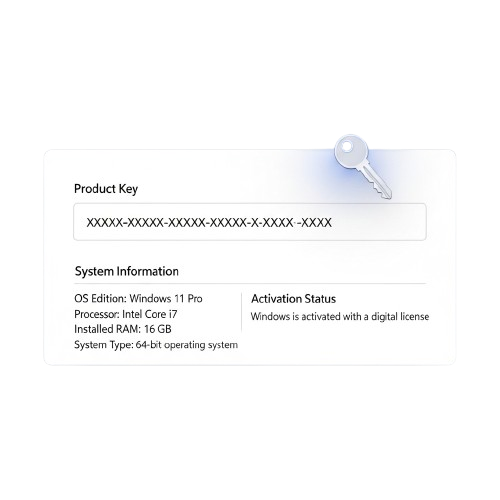


Instantly Find Your Windows Product Key ShowKeyPlus
ShowKeyPlus is the easiest way to discover your Windows product key. Quickly retrieve your key for activation, reinstallation, or troubleshooting without complicated steps. Compatible with all Windows versions, it’s fast, reliable, and user-friendly, giving you peace of mind when managing your system licenses.
About ShowKeyPlus
ShowKeyPlus is designed to make retrieving your Windows product key effortless, fast, and reliable. Whether you need your key for activation, reinstallation, or troubleshooting, this lightweight tool eliminates confusion and complicated steps, allowing you to access your license information instantly.
We understand that managing Windows keys can be tricky, especially when reinstalling or migrating systems. ShowKeyPlus ensures accurate detection of your installed version and key, supporting all major Windows editions for both home and professional users.
Built for simplicity and efficiency, ShowKeyPlus combines powerful functionality with a clean, intuitive interface. Our goal is to provide a modern, user-friendly solution so individuals, IT professionals, and businesses can quickly find, copy, and secure their Windows product keys with confidence.
ShowKeyPlus Features
ShowKeyPlus is a reliable and lightweight Windows key retrieval tool that provides fast, secure, and accurate detection of your installed Windows license. Designed for individuals and IT professionals, it simplifies key management across devices and editions.
Quick Windows Key Detection
Detect and display your Windows product key instantly for any installed edition. Save time and avoid confusion when reinstalling or migrating your system.

Supports All Windows Editions
Retrieve product keys from Windows Home, Pro, Enterprise, and Education editions. Compatible with older and newer versions, ensuring comprehensive coverage.

Copy & Backup Keys Easily
Copy your license key to the clipboard or export it for safe backup. Protect against loss and simplify future installations or activations.

Portable & Lightweight
ShowKeyPlus requires no installation and works as a standalone executable. Use it instantly on any Windows PC with minimal system resources.

Accurate Version Detection
Identify both the installed and original Windows version with precise details. Ensure correct activation and prevent compatibility errors during reinstallation.

User-Friendly Interface
ShowKeyPlus features a clean, intuitive, and easy-to-navigate interface that allows both beginners and experienced users to quickly find and manage Windows product keys.

Secure Key Management
Safely view, copy, and export your Windows product keys to prevent loss or unauthorized access. ShowKeyPlus ensures that sensitive license information remains protected.

Portable & Lightweight
ShowKeyPlus works as a standalone application with no installation needed. Its small size and lightweight design make it easy to run from USB drives or any Windows.

How ShowKeyPlus Works
ShowKeyPlus lets you quickly view, export, and manage Windows product keys on any device. It’s portable, lightweight, and secure, making key retrieval fast and reliable for personal or professional use.
Scan Windows Licenses
Open ShowKeyPlus to automatically detect all Windows product keys on your system, including active, OEM, and previously installed versions.
View & Copy Keys
Display keys in an organized list and copy any product key instantly for backup, reinstallation, or activation purposes.
Export Key Data
Save your detected keys securely to text files or spreadsheets. Keep your license information backed up safely for future use.
Portable & Lightweight
Run ShowKeyPlus without installation from any folder or USB drive. It’s compact, fast, and doesn’t affect system performance.
Offline Security
Retrieve and manage keys entirely offline. No internet is required, ensuring that your sensitive Windows license data stays private and safe.
Quick & Reliable
Instantly find product keys with a user-friendly interface that makes Windows key management easy for beginners and IT professionals alike.
Why Choose ShowKeyPlus
Get reliable Windows key insights with a lightweight, secure, and user-friendly tool designed for everyday users and professionals.
Accurate Key Access
Retrieve your Windows product key instantly with precision and reliability.
System Transparency
View detailed Windows version, activation status, and system configuration.
Lightweight Performance
Fast execution with minimal resource usage for smooth system operation.
Privacy Focused
No tracking or data sharing — your information stays completely secure.
Simple Interface
Clean and intuitive UI designed for both beginners and advanced users.
Free to Use
All features available at no cost with no hidden fees or subscriptions.
Download ShowKeyPlus
Get SendAnyWhere on all your devices and start sharing files instantly. Whether you’re using Windows, macOS, Android, iOS, or a web browser, SendAnyWhere lets you transfer documents, photos, videos, and large projects quickly and securely. With simple installation and zero file size limits, you can enjoy fast, encrypted, and reliable file transfers anytime, anywhere.
System Requirements for ShowKeyPlus
Operating System: Windows 7 / 8 / 10 / 11 (all editions)
Processor: Intel or AMD (any modern CPU)RAM: Minimum 1GB (2GB recommended for large key exports)
Storage: At least 50MB free space
Administrator Access: Required to read Windows registry for keys
Portability: Run directly from USB or any folder without installation
Installation Guide for ShowKeyPlus
Easily retrieve your Windows product keys with ShowKeyPlus by following these simple steps. Install quickly and start managing keys securely across all devices.
Download the Installer
Download the latest ShowKeyPlus release from the official website. Ensure you choose the correct version for your Windows system to avoid errors.
Run the Application
Open the downloaded ShowKeyPlus executable and run it. No installation is required; the software is fully portable for quick access on any PC.
Grant Access if Needed
For retrieving system or BIOS keys, allow ShowKeyPlus to access necessary Windows components. This ensures accurate detection of product keys.
Start Retrieving Keys
Launch ShowKeyPlus and immediately view your Windows edition, installed key, and original product key. Export keys or save them for backup effortlessly.
Your Windows Keys, Safe and Accessible
ShowKeyPlus ensures your Windows product keys are retrieved, stored, and protected securely. With a portable and lightweight tool, you can safely view, export, and back up keys from your system or BIOS without risk.
Secure Key Retrieval System
Read Windows product keys directly from your system or BIOS without risk of modification. ShowKeyPlus ensures all activation keys remain accurate, protected, and safely displayed.
Export & Backup Safely
Export product keys to CSV or text files for secure backup. ShowKeyPlus keeps your Windows keys confidential and easily retrievable whenever needed for reinstallation or migration.
Offline Usage & Portability
Fully portable tool runs without installation. Access Windows keys offline on any PC safely and quickly, keeping your sensitive information local and secure.
Multi-Version Support
Retrieve product keys for Home, Pro, Enterprise, and OEM Windows editions. ShowKeyPlus ensures accurate display of all keys while maintaining secure handling.
Guide For ShowKeyPlus

ShowKeyPlus Detailed Guide – Advanced Product Key Recovery, Backup, and Windows Activation Management
Read More »
ShowKeyPlus Complete Review – Features, Installation Guide, and Advanced Windows Product Key Management
Read More »Trusted by Thousands of Windows Users
Frequently Asked Questions
Discover answers to common questions about retrieving, managing, and protecting Windows product keys with ShowKeyPlus. Learn how to find keys, run the tool safely, and use it across multiple Windows versions and devices.
General Information
What is ShowKeyPlus?
ShowKeyPlus is a lightweight Windows utility that helps you retrieve, view, and save your Windows product keys safely and efficiently.
How do I download ShowKeyPlus?
You can download the latest version from the official project page or trusted repositories for Windows.
Is ShowKeyPlus free to use?
Yes, ShowKeyPlus is completely free and open-source, giving you full access to its features without any cost.
Which Windows versions are supported?
It supports all major Windows editions, including Windows 7, 8, 10, and 11.
Do I need installation to use it?
No installation is required. ShowKeyPlus is portable and can run directly from any folder or USB drive.
Can I save retrieved product keys?
Yes, you can export keys in a text file or CSV format for backup and safe storage.
Usage & Features
What is ShowKeyPlus?
ShowKeyPlus is a lightweight Windows utility that helps you retrieve, view, and save your Windows product keys safely and efficiently.
How do I download ShowKeyPlus?
You can download the latest version from the official project page or trusted repositories for Windows.
Is ShowKeyPlus free to use?
Yes, ShowKeyPlus is completely free and open-source, giving you full access to its features without any cost.
Which Windows versions are supported?
It supports all major Windows editions, including Windows 7, 8, 10, and 11.
Do I need installation to use it?
No installation is required. ShowKeyPlus is portable and can run directly from any folder or USB drive.
Can I save retrieved product keys?
Yes, you can export keys in a text file or CSV format for backup and safe storage.
Security & Privacy
Is ShowKeyPlus safe to run?
Yes, the software is read-only, portable, and does not send your data over the internet.
Can others see my keys?
No, all retrieved keys remain local on your system until you choose to save them.
Does it require admin privileges?
ShowKeyPlus can run without admin rights for most features, but elevated access may be needed for some system keys.
Can I recover keys from offline drives?
Yes, you can point ShowKeyPlus to offline Windows directories to retrieve product keys safely.
How does ShowKeyPlus handle sensitive license information?
All data is processed locally and stored only if you export it, ensuring privacy.
Does it support encrypted drives?
Yes, provided you have access to the Windows installation folder or registry.
Troubleshooting & Support
Why can’t I find my Windows key?
Some OEM systems store keys in firmware; make sure your device supports key retrieval.
How do I update ShowKeyPlus?
Download the latest release from the official GitHub or project page; no installation is required.
What if keys are missing or incorrect?
Verify the Windows installation path or try running ShowKeyPlus with admin rights.
Can I export keys for backup?
Yes, export options include CSV and text files for easy storage.
Where can I get help or report issues?
Support is available via the official repository’s issue tracker or user forums.
Does ShowKeyPlus work on all editions of Windows?
It supports Home, Pro, Enterprise, and Education editions of Windows 7, 8, 10, and 11.
ShowKeyPlus – ShowKeyPlus – Instantly Find Your Windows Product Key

Recover and view your Windows product key instantly with ShowKeyPlus. Faster, secure, and user-friendly tool for accurate system key information.
Price: Free
Price Currency: $
Operating System: Windows
Application Category: Software
4.7